Canvas access while not on campus
We are currently experiencing Canvas access issues when connecting from external Wi-Fi networks (e.g., home, cafés, mobile networks) due to unexpected restrictions from certain local Internet Service Providers (ISPs).
While the RMIT IT team is actively working with the relevant parties to resolve this issue, please use RMIT myDesktop as a temporary workaround to access Canvas smoothly.
How to access Canvas via RMIT myDesktop

1. Visit myDesktop

2. Choose web browser

3. Choose Skip

4. Access myDesktop and open Canvas
1. Visit RMIT myDesktop
Visit RMIT myDesktop and log in using your RMIT credentials (Microsoft login)
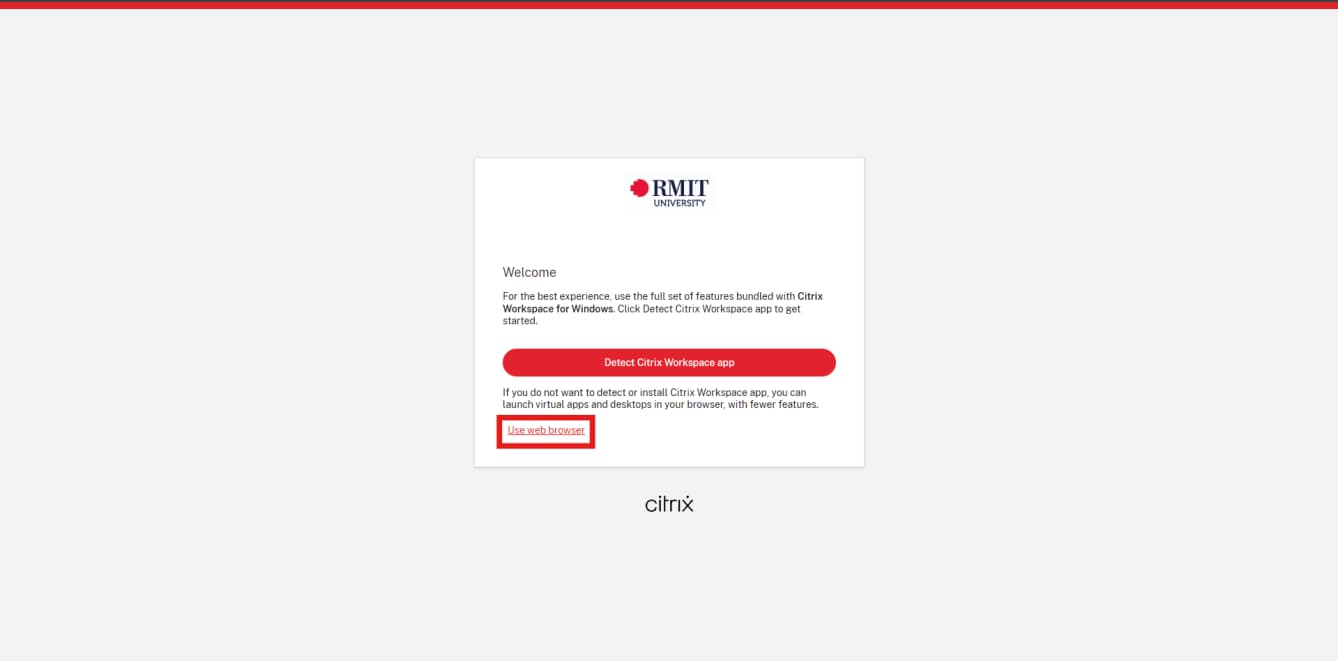
2. Choose web browser
After successfully logging in and authenticating with your RMIT email, please select “Use web browser”.
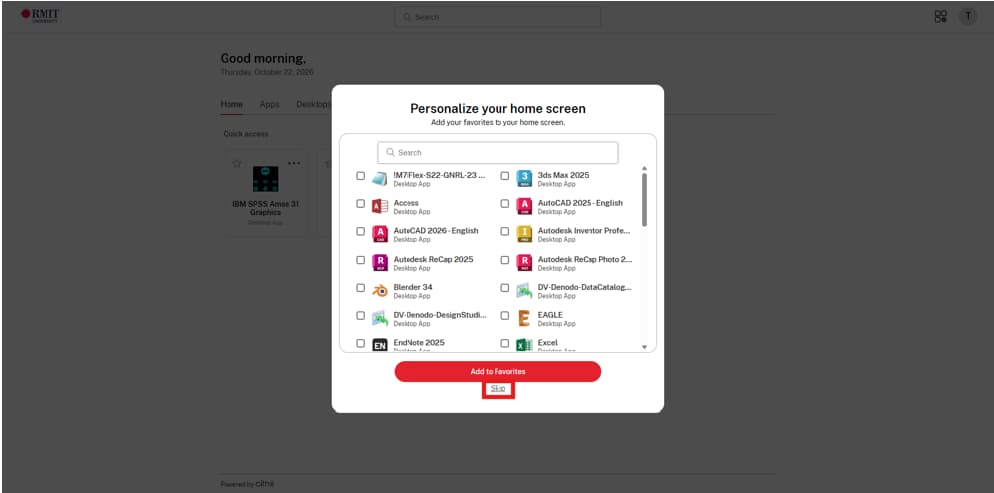
3. Choose Skip
When prompted to personalise your home screen, select "Skip" to proceed.
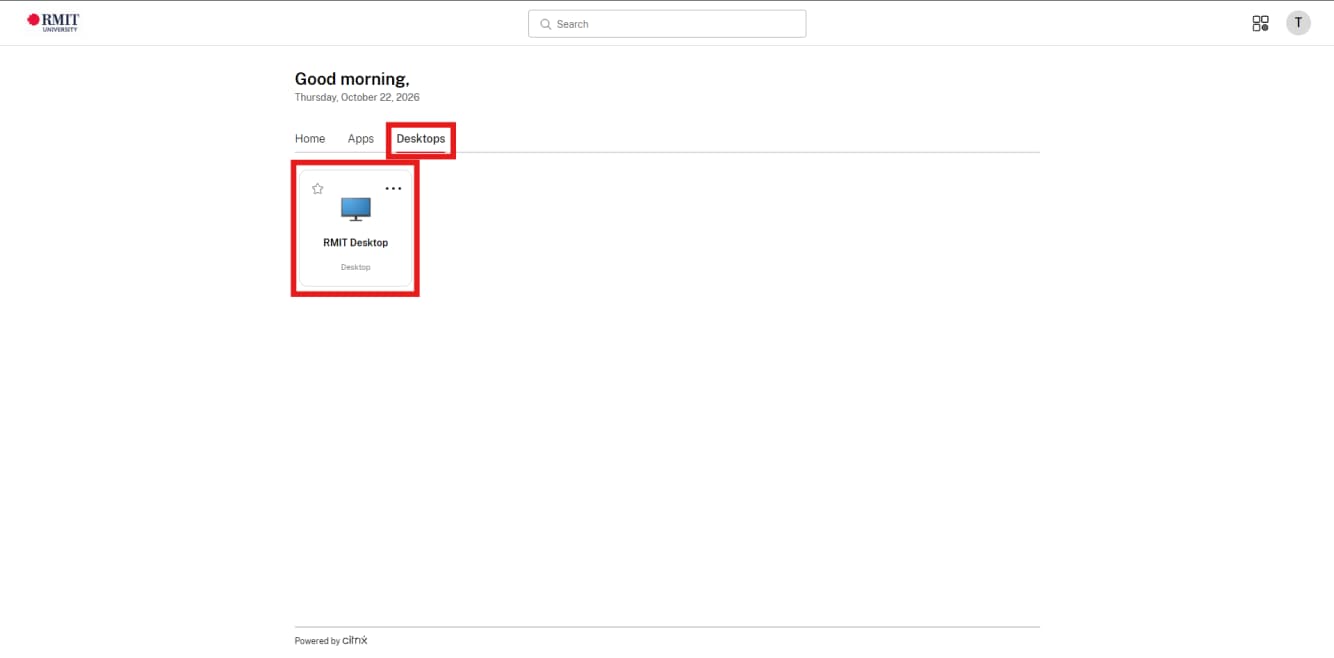
Step 4: Open RMIT Desktop
Click the "Desktops" tab, then select "RMIT Desktop" to launch your virtual desktop.
5. Access Canvas
RMIT Desktop will automatically load your profile and take you straight to the main desktop screen without requiring any further login. From there, open any web browser on the virtual desktop and log in to Canvas via the RMIT MyApps Portal as usual.
Important
If the virtual desktop prompts you to enter a username and password during startup, simply close the browser tab and launch RMIT Desktop again.