
Coming soon: A new Canvas Dashboard to help you stay organised

Coming soon: A new Canvas Dashboard to help you stay organised

Your Canvas Dashboard is getting a fresh look! From 23 November 2026, you'll be able to explore a new, customisable Dashboard that brings your coursework, grades and important updates together in one place.

The updated Dashboard is designed to help you stay on top of your studies, with useful tools and a flexible layout that you can personalise to suit your needs. 

What's new? 

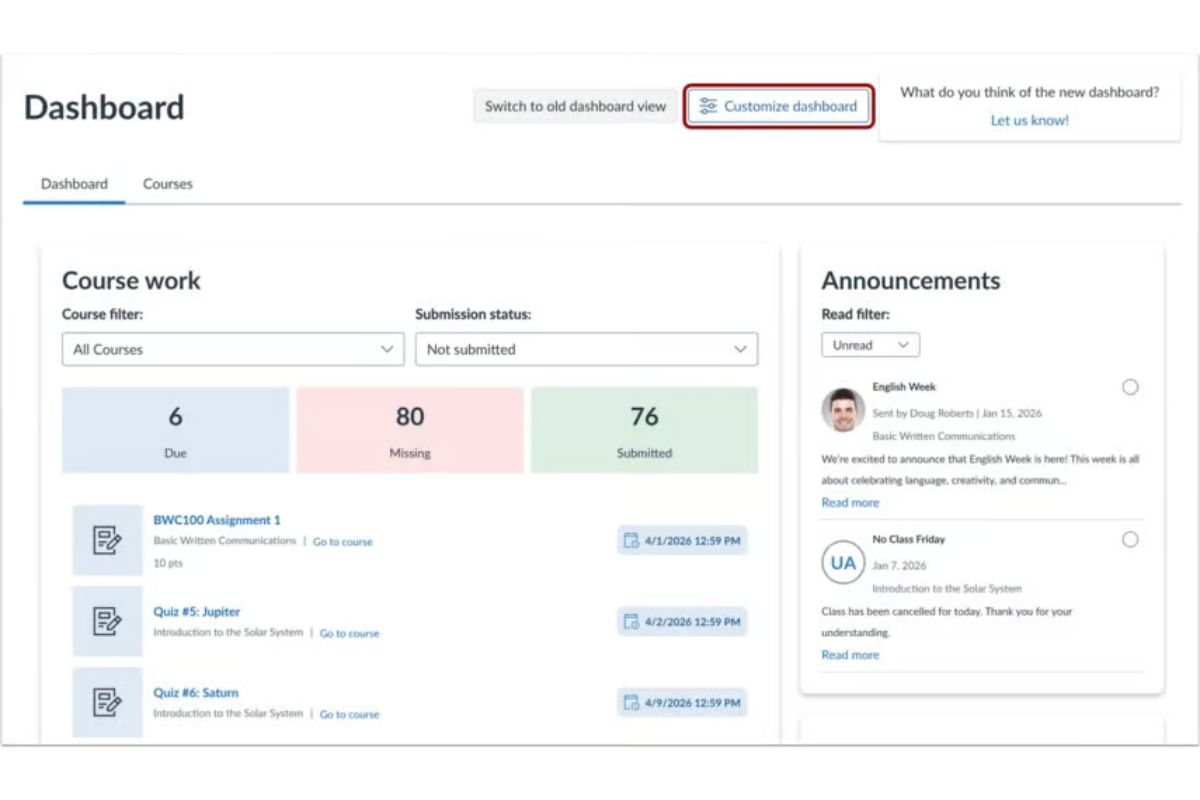
The new Dashboard features four default widgets to help you manage your studies more easily: 

  • Course work: See how many assignments are due, missing or submitted, and filter them by course or submission status. 
  • Course grades: Quickly access your courses and grades. 
  • Announcements: Catch up on course announcements and filter them by read or unread status. 
  • People: Find other Canvas users by course or role and send messages through Canvas Inbox. 

Make your Dashboard your own

Want to focus on what matters most to you? Select Customize dashboard to add, rearrange or remove widgets. 

canvas-dashboard-screenshot-1You can customise your Dashboard by adding, moving, or deleting the widgets.

You can also choose from four additional widgets: 

  • To-do list: View and manage upcoming tasks and planner items. 
  • Recent grades & feedback: Check your recently graded assignments and submissions. 
  • Progress overview: Track your progress across courses with module and assignment statistics. 
  • Inbox: Stay connected with recent messages from your Canvas conversations. 

How to get started

To personalise your Dashboard:

  1. Select Customize dashboard  
  2. Add, move or remove widgets, then click Save changes. 

For step-by-step instructions, check out the Canvas Dashboard customisation guide. 

What about your existing courses? 

No worries! Your existing courses and assignments will remain accessible. 

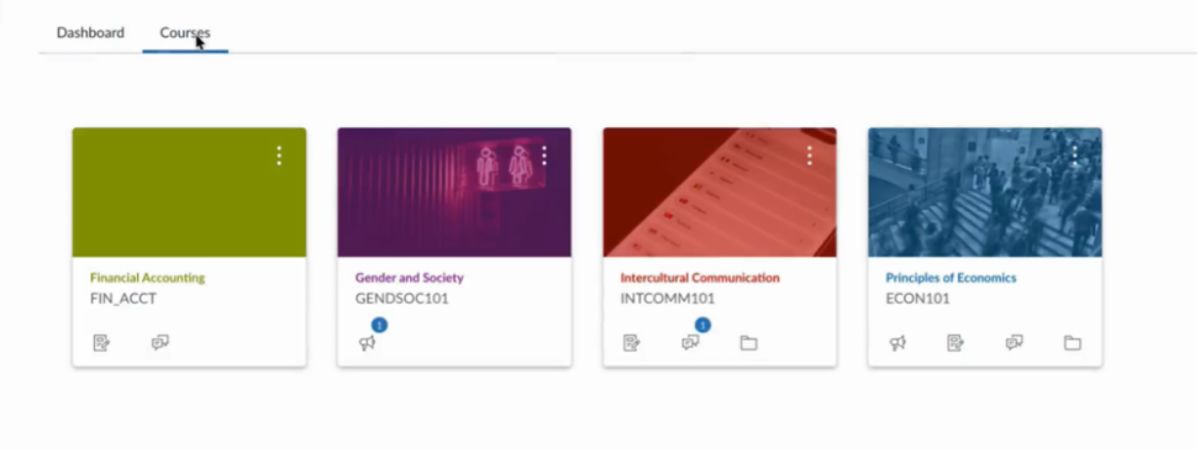
canvas-dashboard-screenshot-2Find your existing courses under the Courses tab.

Simply select the Courses tab next to the new Dashboard to find your courses in the familiar card view. If you prefer the previous Dashboard layout, you can also switch back to the classic view by clicking 'Switch to old dashboard view'. 

Ready to give it a try? Explore the new Canvas Dashboard from 23 November and make it work for you! 

Need help?

Contact Student Connect for further assistance. 

20 November 2026

Share

More news