
Newbie 101: Less text, more impact: Tips to nail your first presentation

Newbie 101: Less text, more impact: Tips to nail your first presentation

When it comes to the final weeks of the semester, things can easily become overwhelming. There are multiple things to prepare for final presentations and thousands of pieces of content to finalise, which can make it difficult to know where to start.

But the good news is: Sometimes, a wonderful presentation does not always need more content. It’s just a better way of visualizing what you already have.  

Here are a few small tips to make your next presentation clearer, more engaging, and a little less stressful to prepare.

Keep it concise, simple, and vibrant

When drafting your presentation, you probably already have everything: careful research, a strong big idea, and a great story to tell. 

The question is: how do you turn a few pages of words into a 10-minute presentation? The shortcut is visual communication. 

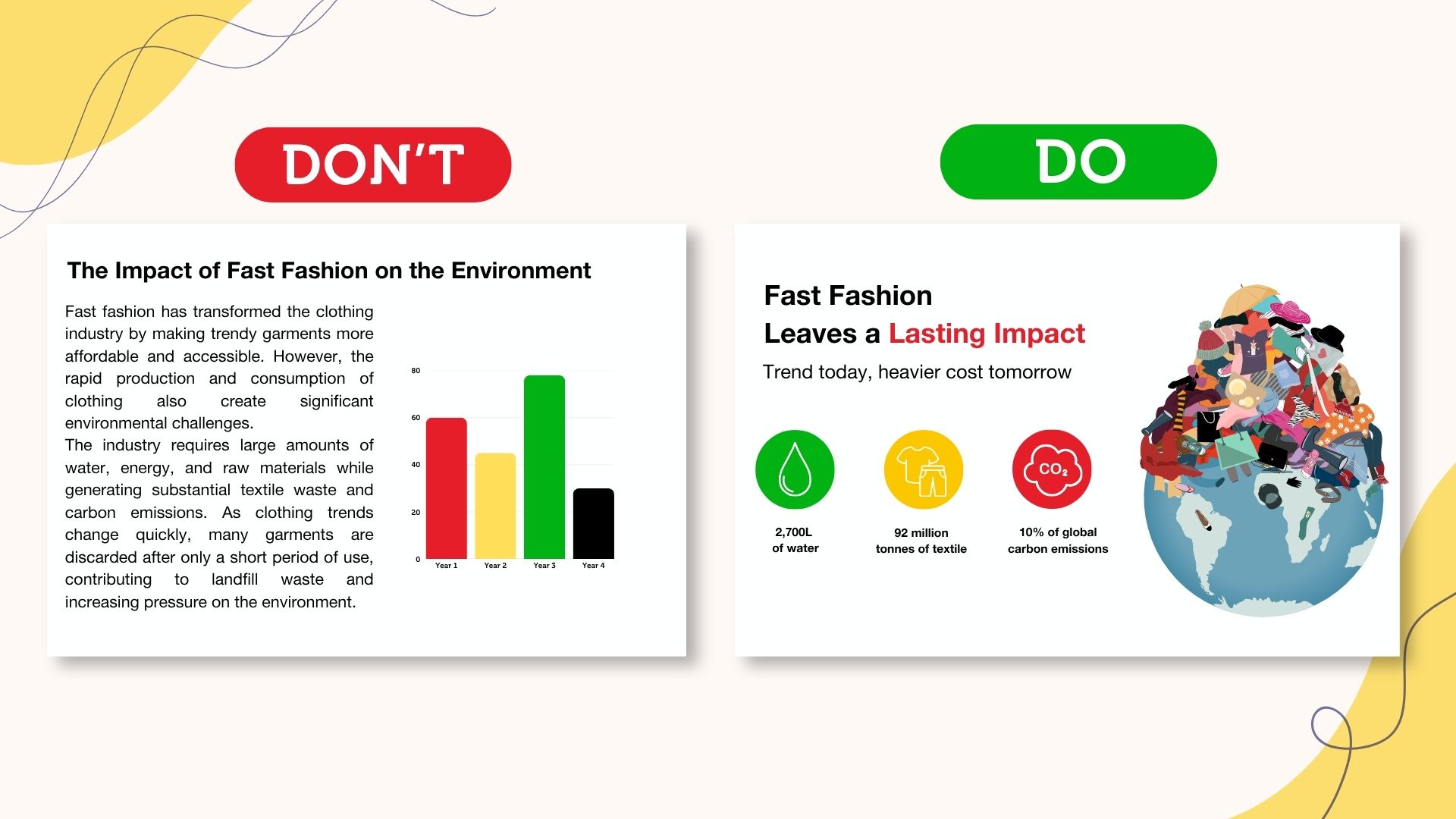
Your presentation slides do not need to carry every detail of your research. Instead, focus on the key messages you want to convey, and ensure to use visuals that make those ideas easier to remember.  

  • Concise: Keep it short and focused. Cut unnecessary details and highlight the keywords you want to remember. 
  • Simple: Make it easy to understand at a glance. Avoid lengthy sentences or complicated language. 
  • Vibrant: Give important ideas room to stand out. Use colours, contrast, and visual elements to draw attention to what matters most. 
rmit-student-presentation-tips-visual-designTips for turning text-heavy slides into clear and engaging presentation.

Showing it instead of letting your audience imagine it

Sometimes, the easiest way to explain an idea is to simply show what it could look like. 

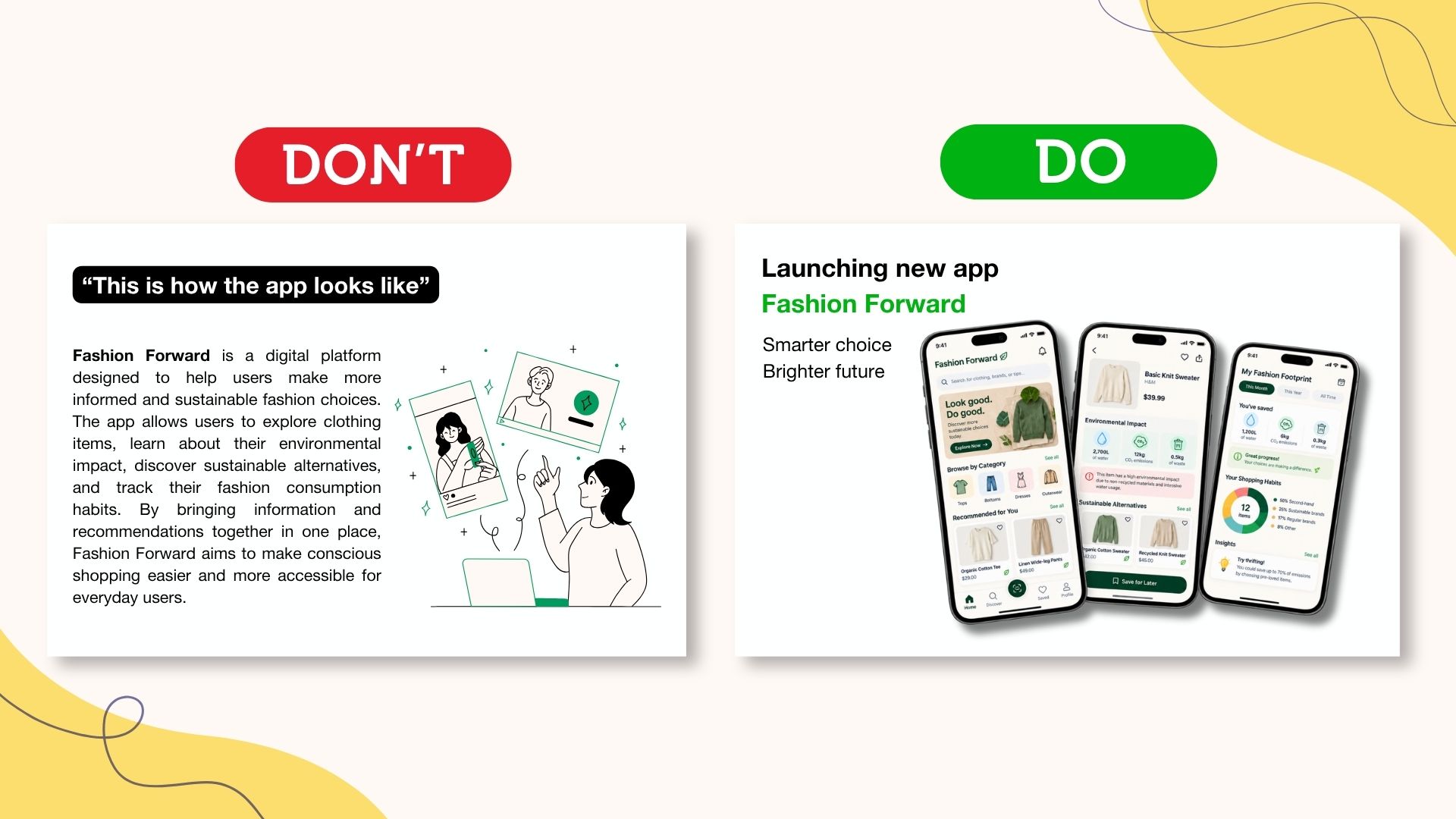
If you find yourself saying “imagine this on a billboard” or “this is what the app could look like,”, consider how you can visualise it instead. For example, showing a mockup that places your idea in a real-world context, while diagrams and graphics can make complex concepts easier to follow. 

This does not mean every idea needs an elaborate visual. The goal is to help your audience digest your presentation with less effort. The more clearly the audience can see your ideas, the easier it is for them to remember the story behind it.  

rmit-student-news-mockup-presentation-tipsHow to bring your ideas to life with product mock-ups.

Find the visual that fits the idea, not the other way around

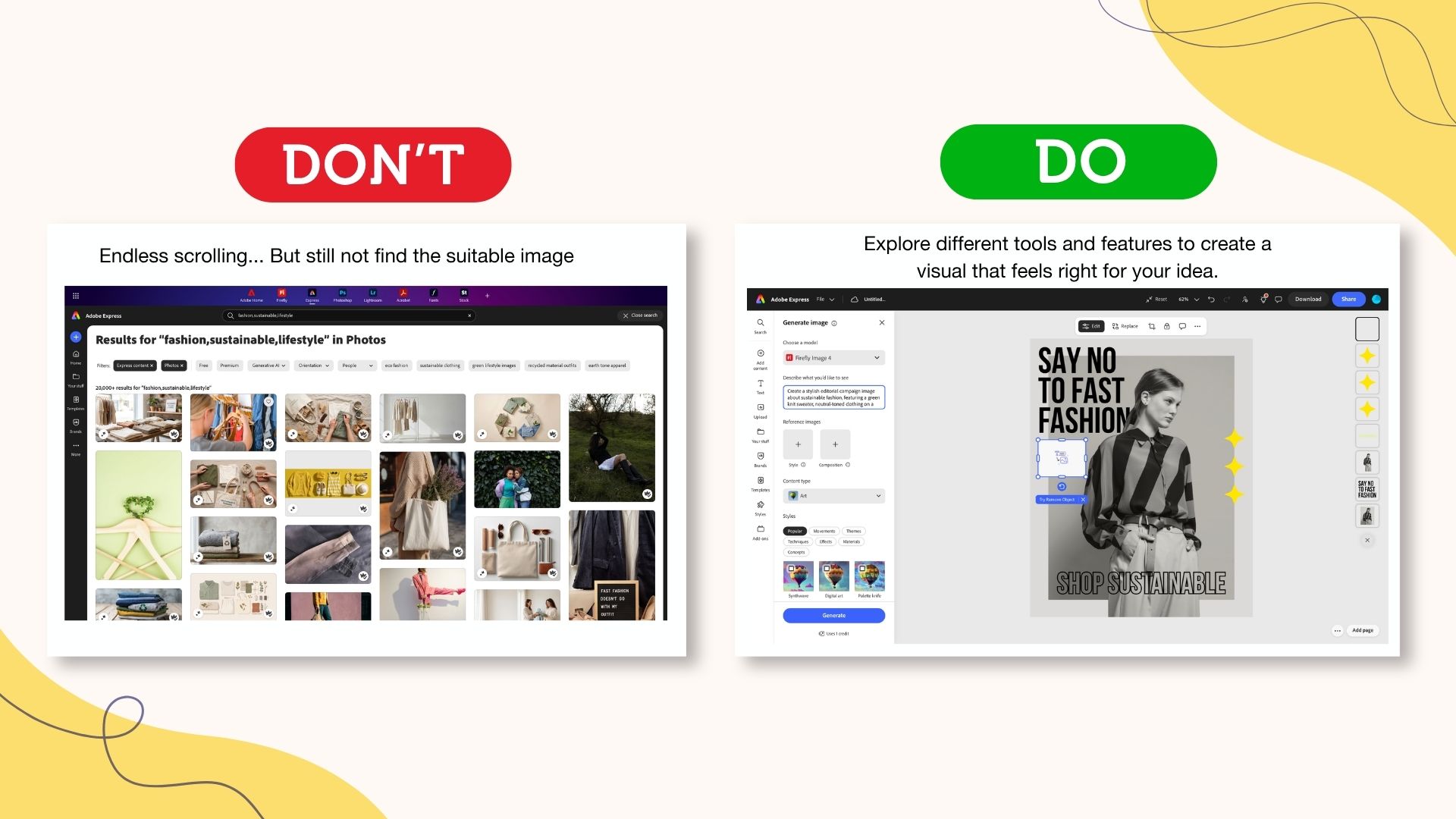
Sometimes, you might spend hours scrolling through stock images, but none of them quite match your idea. One image might have the right setting but the wrong mood, while another looks almost right but is still missing something. Instead of changing your idea to fit the visuals you can find, why not create the visual around your idea? 

Therefore, you can start defining how you can use the visual to communicate effectively. Think about the mood, setting, composition, and key elements that should appear. From there, you can customise an existing image, combine different visual elements, or create something new to produce suitable visuals. 

The goal is not to find the perfect image. It is to create a visual that supports your idea and makes the message clearer.

rmit-student-presentation-adobe-express-tips-visualsWays to create custom presentation visuals with Adobe Express.

Bring your ideas to life with Adobe Express

A good visual starts with a good idea, but bringing it to life does not always require advanced design skills; Adobe Express can help you make the execution easier. From creating mock-ups and generating visuals to adding simple motion, you can experiment with different ways to present your ideas without creating everything from scratch. 

Tips to find the right stock image

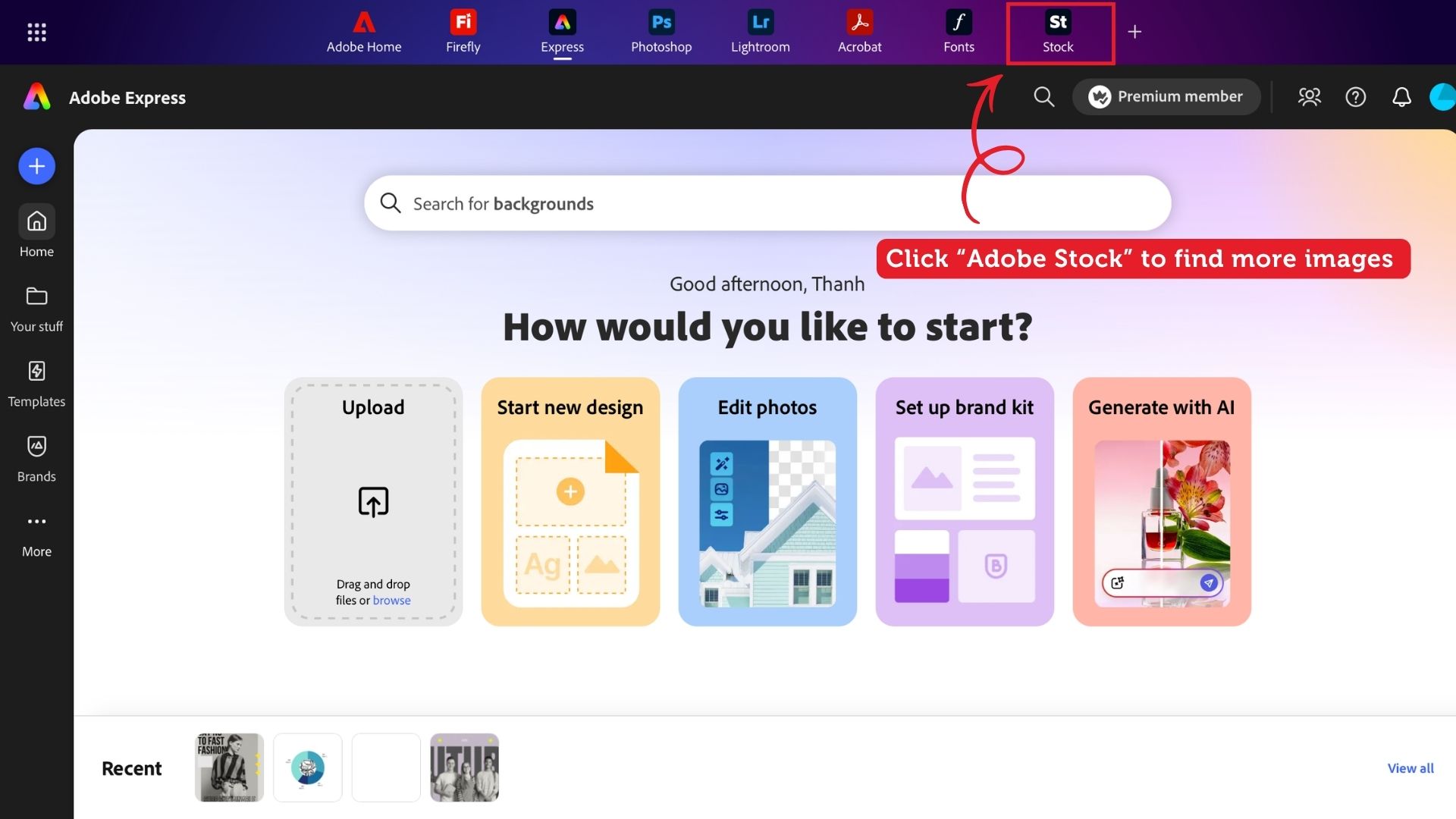
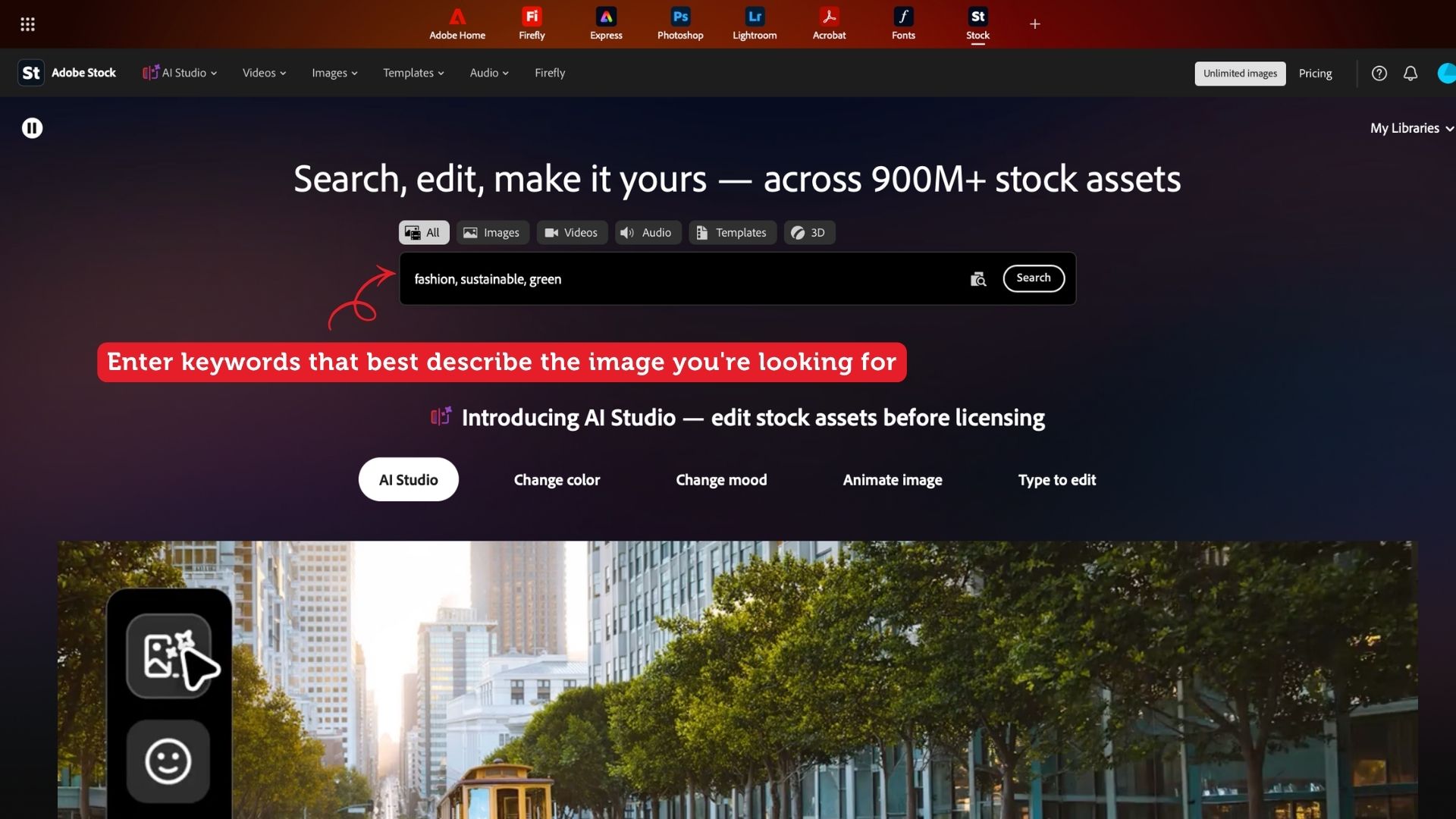
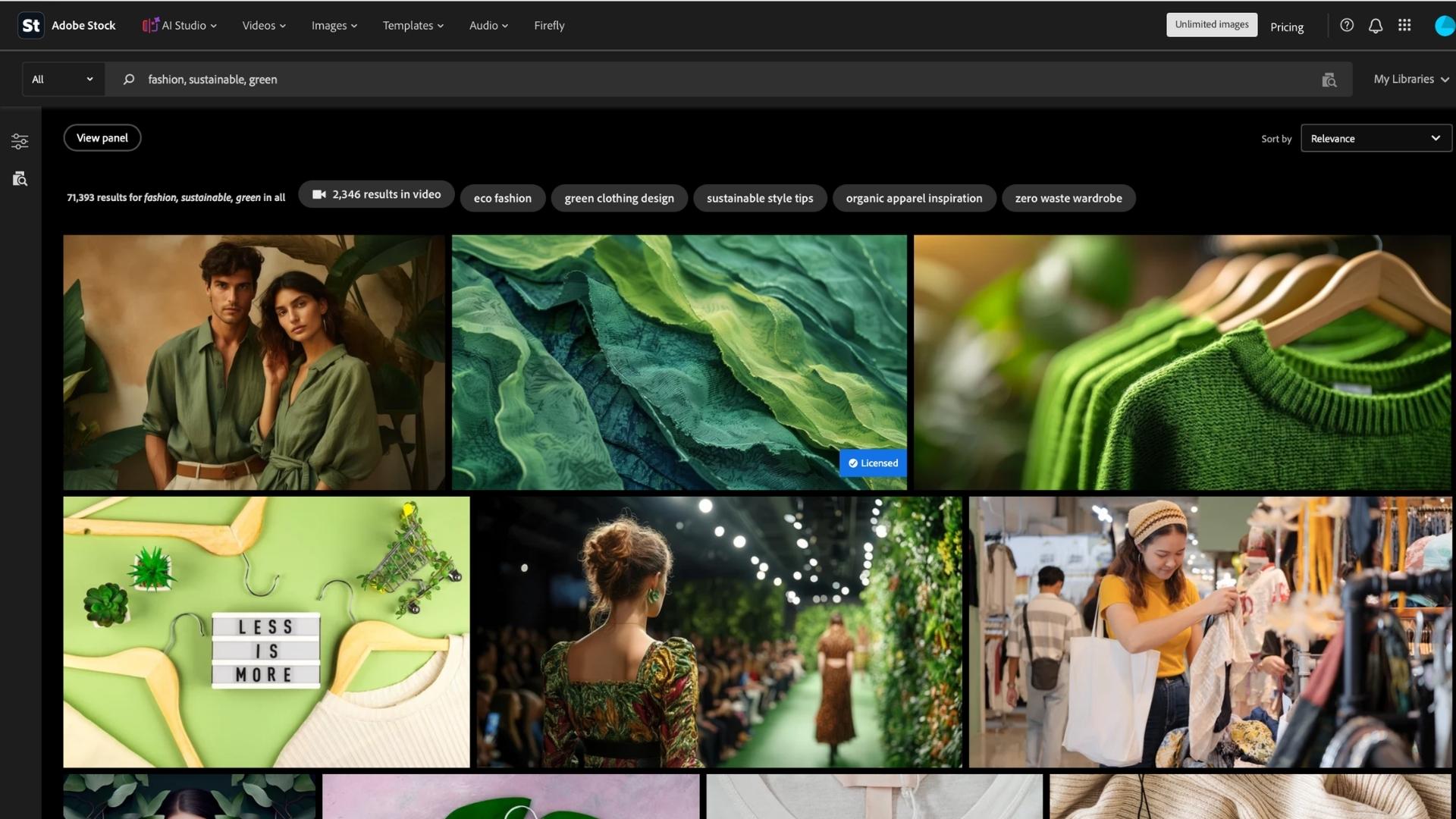
You can use Adobe Express to find stock images that best fit your presentation style. Here are a few simple steps  

  1. Step 1: On the landing page, click “Stock” in the upper-right corner.  
  2. Step 2: Enter keywords that best describe the image you’re looking for.  
  3. Step 3: Explore the results and choose an image that best matches your idea. 
student-news-rmit-adobe-expressAccessing Adobe Stock directly from the Adobe Express landing page to explore more stock images.
rmit-adobe-stock-tips-presentation How to input keywords to find images that match your presentation idea and style.
adobe-stock-rmit-presentation-tipsExploring Adobe Stock search results.

Bring your ideas to life with the right templates

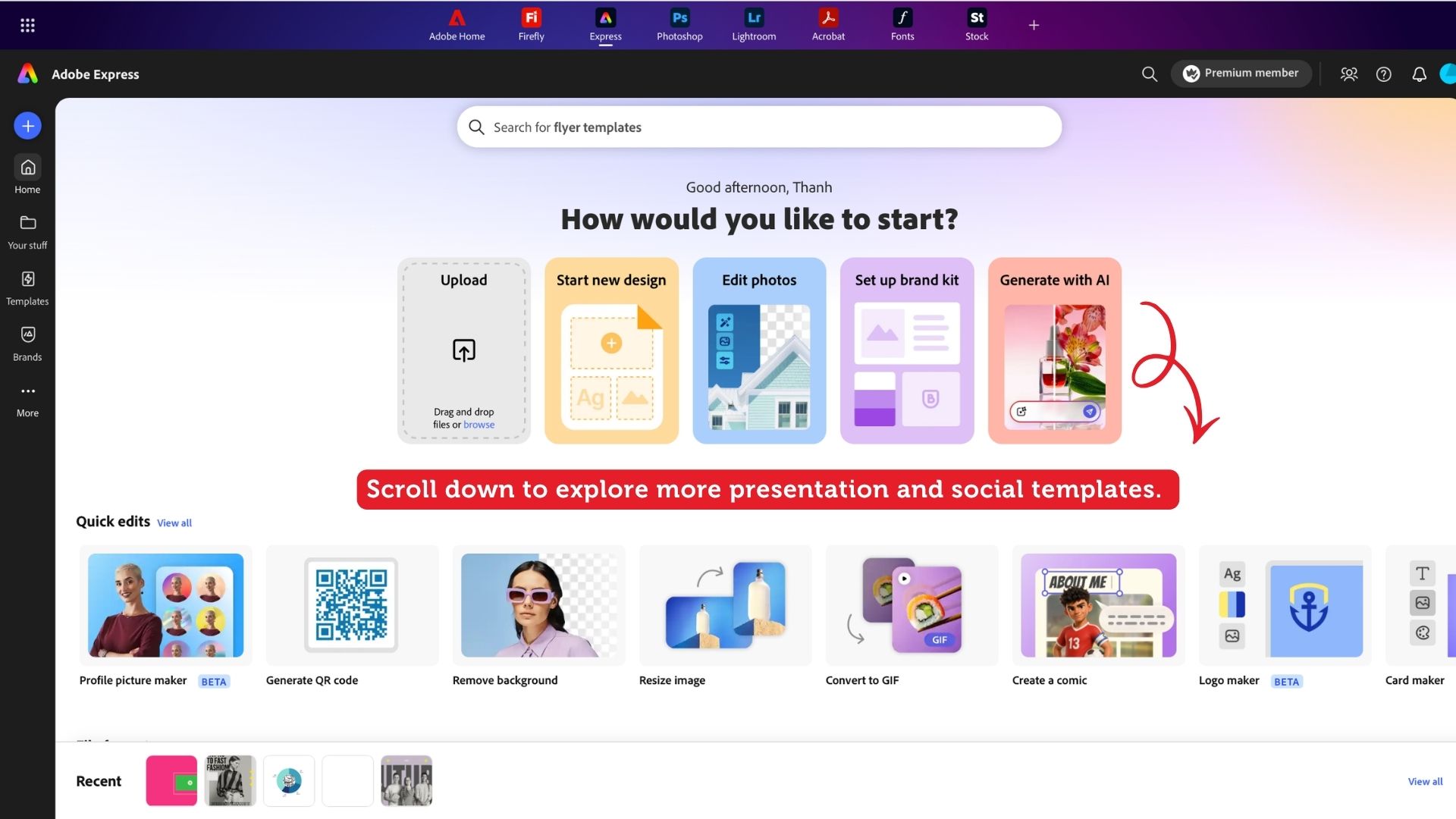
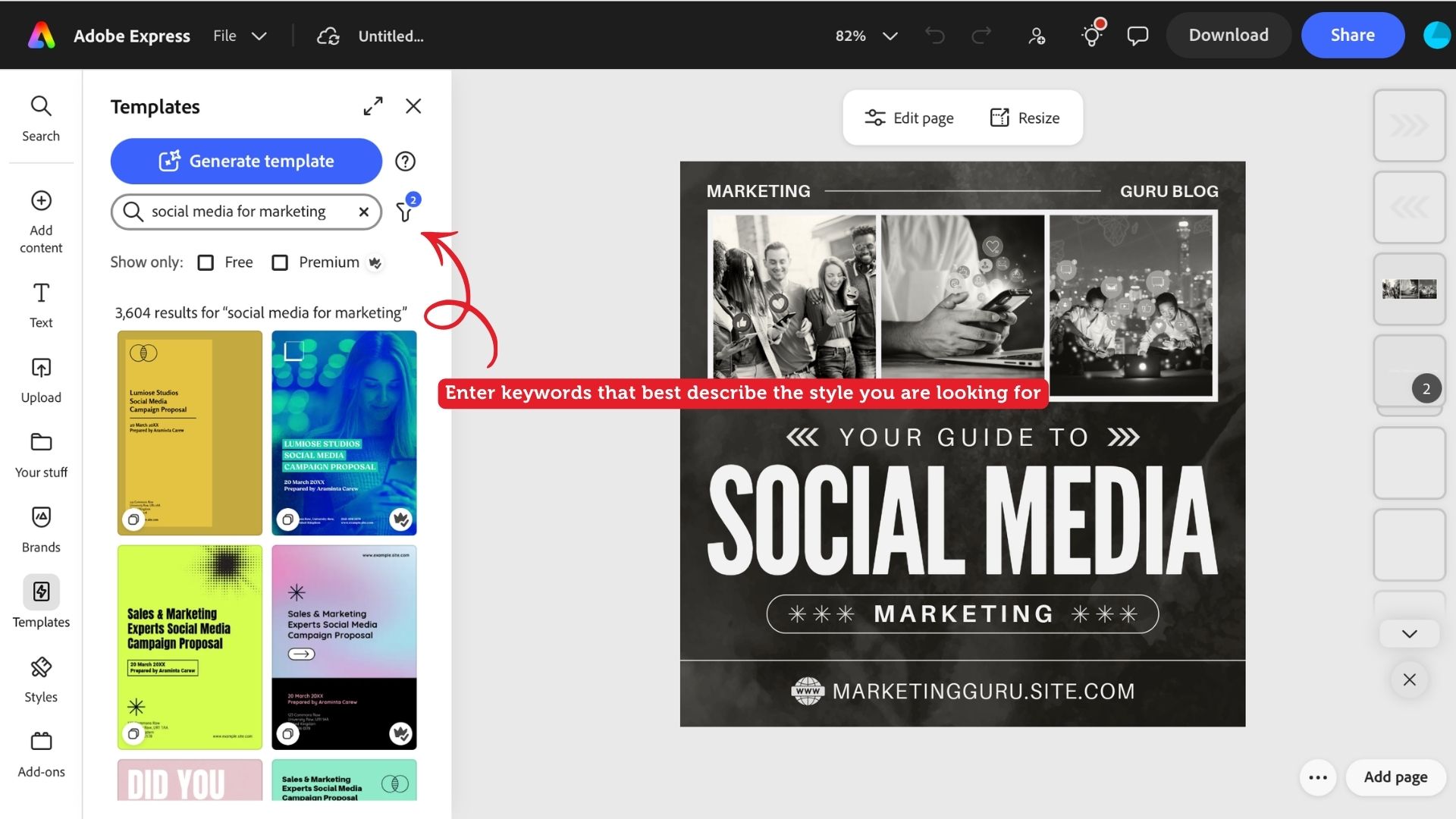
Another way to use Adobe Express is to explore the presentation and social media templates. One of its strengths is the strong visual direction, polished designs, creative artwork, and wide range of styles to choose. Whether you’re looking for something minimal, bold, playful, or more experimental, you can find a template that matches the look and feel of your idea, then customise it with your own content. 

rmit-student-news-adobe-expressExploring presentation and social media templates available on Adobe Express.
rmit-student-adobe-tipsDiscovering different design directions through Adobe Express templates.

Once your content is ready, take another look at your slides and ask yourself: How can I visualize this idea through images, not words?  

Explore Adobe Express and see how you can turn the ideas in your head into visuals.

Story: Nguyen Lieu Thanh, Professional Communication student. This article does not reflect the views of RMIT Vietnam as an institution.

09 September 2026

More news