Get yourself noticed: Tips on building your first portfolio with Adobe

Get yourself noticed: Tips on building your first portfolio with Adobe

As a Professional Communication student passionate about creative advertising and communication campaigns, Ha Phuong knew a strong portfolio could help her stand out when applying for the internship.

As a Professional Communication student passionate about creative advertising and communication campaigns, Ha Phuong knew a strong portfolio could help her stand out when applying for the internship. Even though she had limited industry experience, she used her university projects to showcase her creative thinking and practical skills, which helped her land her first role at Lalaland Agency. Here, she shares how Adobe Portfolio helped turn her work into a professional website.

Your portfolio is more than a collection of projects

As a Professional Communication student, I have worked on projects in copywriting, visual design and communication campaigns. My CV summarises my skills and experience, but it doesn’t show how I approach creative work. When I began applying for internships in advertising and creative fields, building a portfolio became my priority to showcase my creativity to the recruiters.

However, my biggest obstacle was that I had never built a website. With prior experience learning about drafting visuals in Professional Communication courses, I was familiar with Adobe Photoshop and Illustrator, but I knew very little about web development. I expected to spend weeks learning to code, working out layouts and organising everything from scratch.

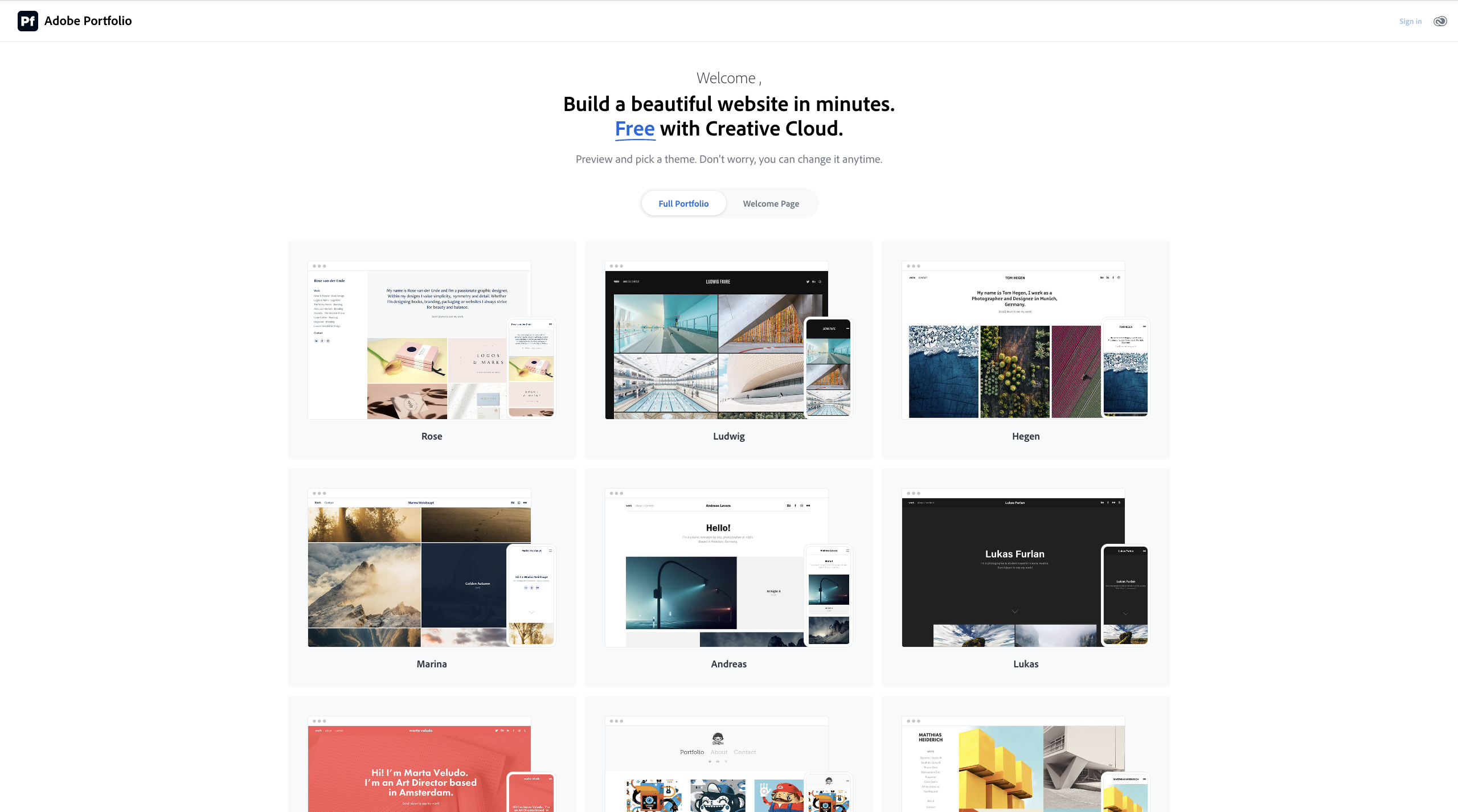
Adobe Portfolio offers a range of customisable templates to help users create a professional website without coding.

After comparing a few platforms, I found Adobe Portfolio and was surprised by how straightforward it was. The interface was easy to navigate, and I could test different layouts and adjust without consulting tutorials every few minutes. RMIT students already have access to Adobe Creative Cloud, which includes Adobe Portfolio, so it also made sense to use a resource the university already provides.

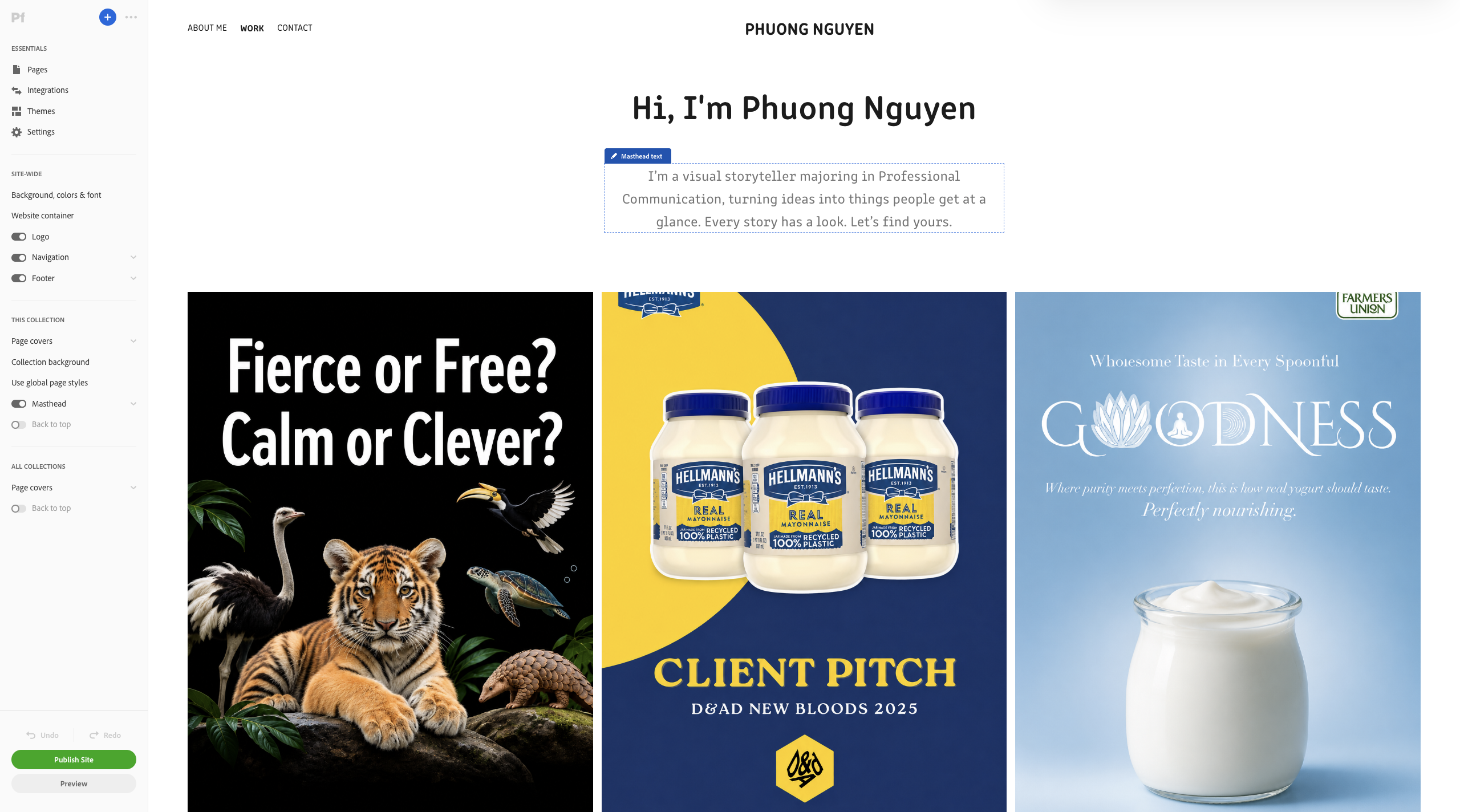
A portfolio mock-up showing how projects can be organised and presented using Adobe Portfolio.

Disclaimer: This is not the student's actual portfolio. The content has been recreated by RMIT for illustrative purposes only.

Making the portfolio my own

My aim when creating the portfolio is to highlight my projects, not creating the eye-catching website itself. While exploring, Adobe Portfolio offers a range of ready-made layouts that can be customized for different needs. I chose a black-and-white colour palette and a clean layout so that my advertising and creative projects had room to stand out. Each project already had its own colours, visuals and creative direction, so I avoided decorative elements that could distract from the work.

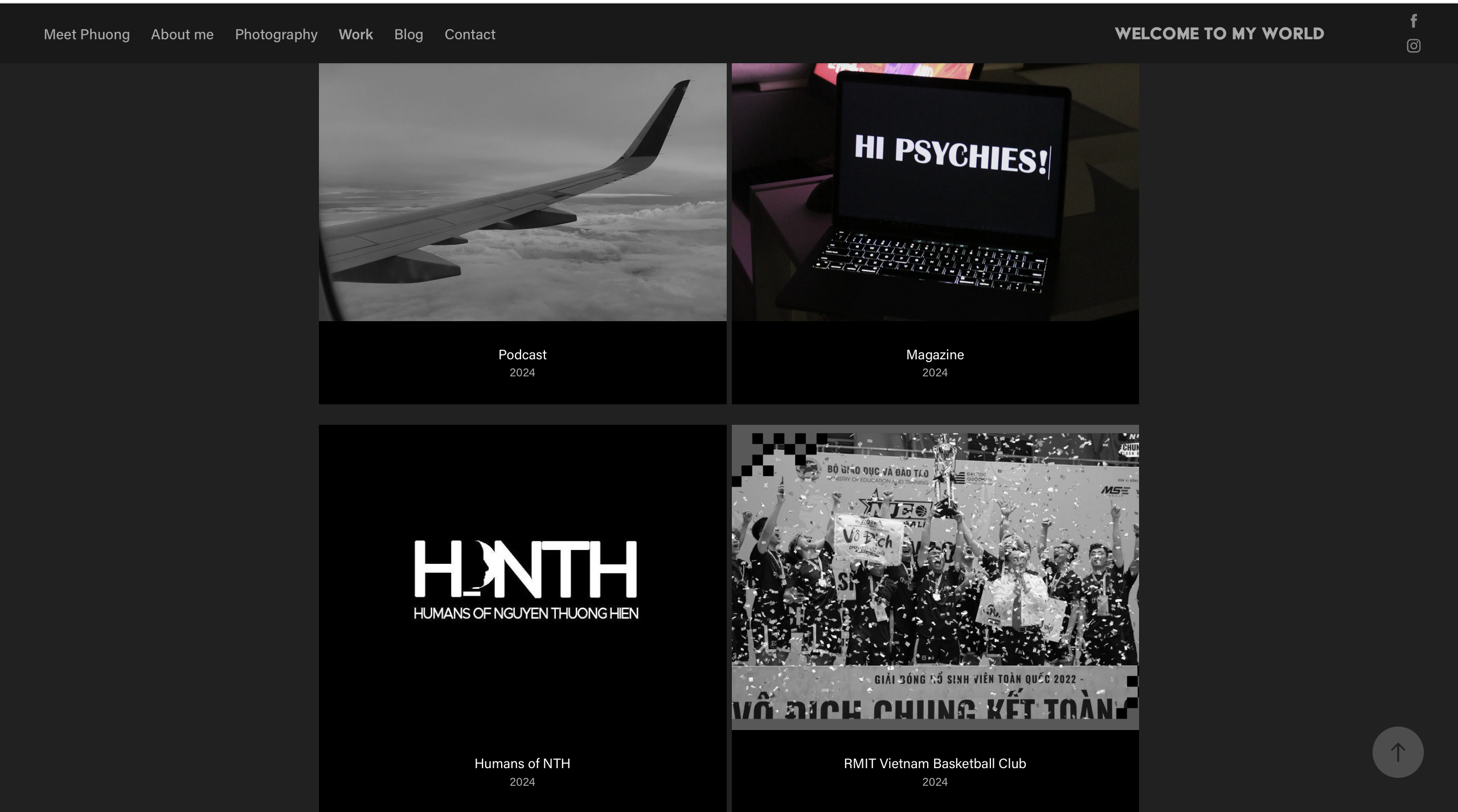
Ha Phuong's portfolio showcases a selection of projects that she completed during her university studies, including podcasts, magazines, and extracurricular initiatives.

Instead of designing every page from scratch, I started from an existing layout, created a separate page for each project and organised images into galleries. The platform also lets me present different types of work in different ways. For visual design projects, the images could take centre stage. For communication campaigns, I combined visuals with written explanations to show the thinking behind my ideas. With little time spent on the technical side, I could concentrate on how the work was presented.

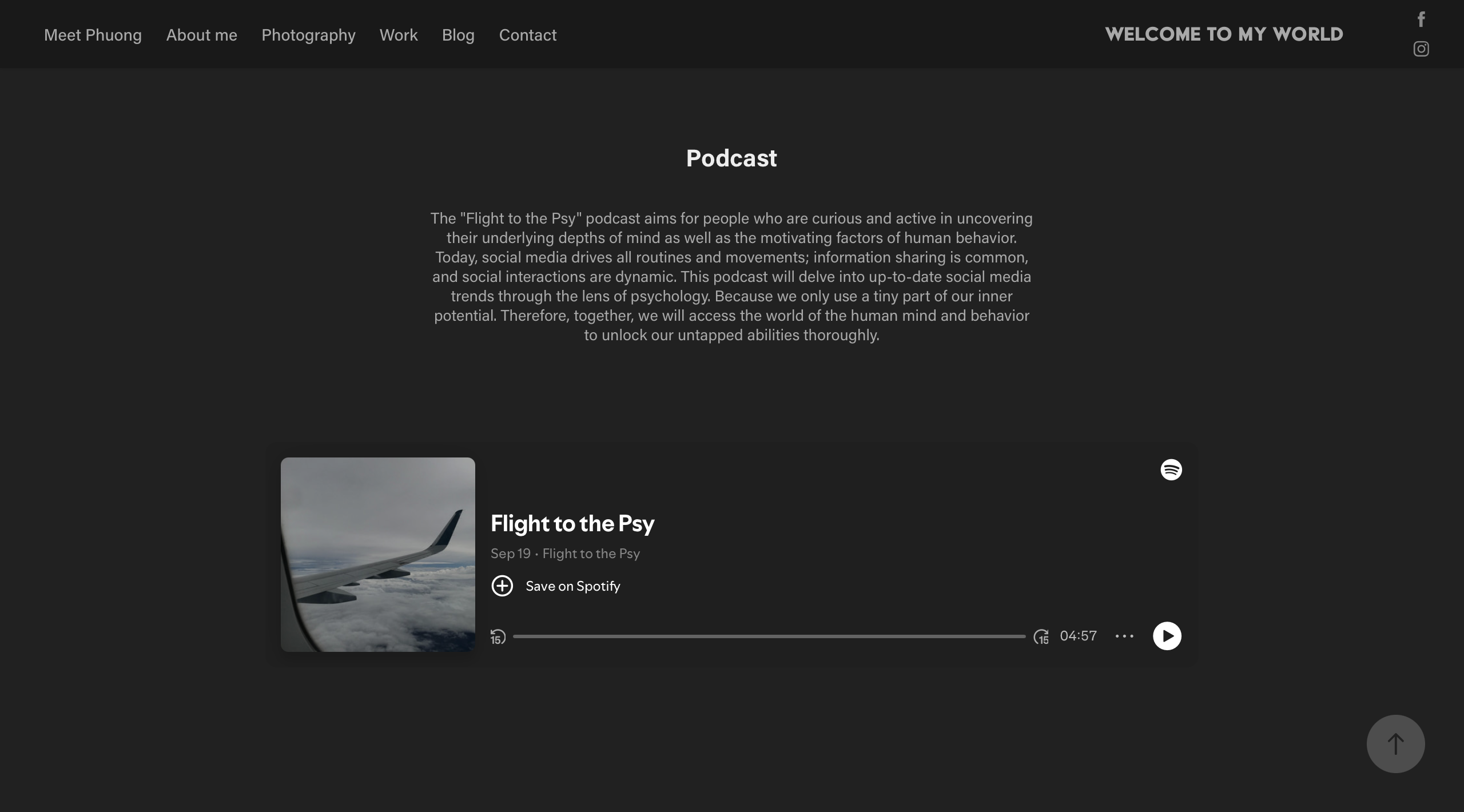
Ha Phuong's portfolio features a podcast project with an external link to the full episode hosted on another platform.

If I had to describe the portfolio in three words, I would choose creative, professional and intentional. To reach that standard, I kept revisiting my projects, refining descriptions, adding context and being more selective about what stayed in. Some projects needed a detailed explanation, while others worked better with a few strong visuals. It took several rounds of editing before I felt ready to share the site.

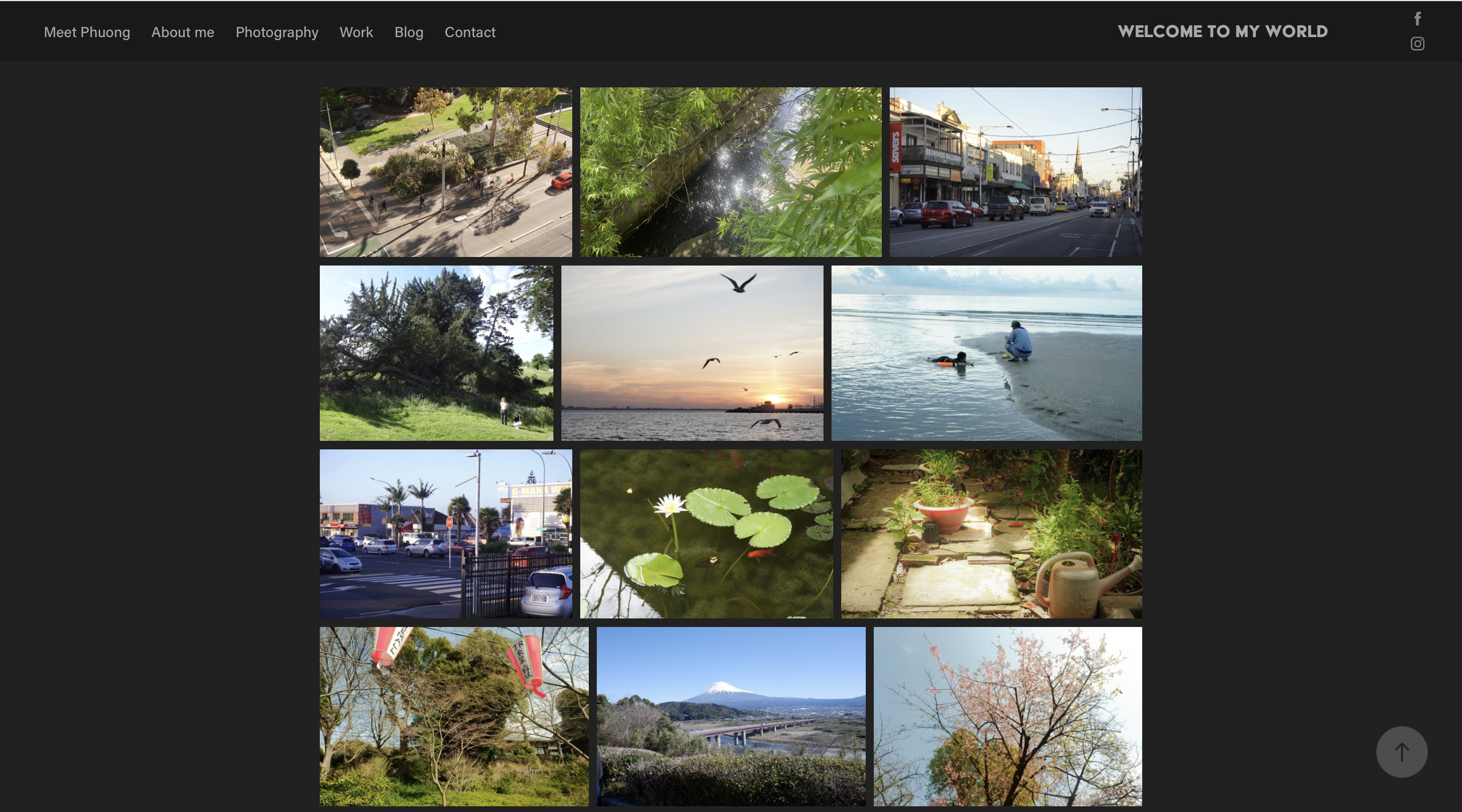
Ha Phuong’s portfolio showcases photo galleries featuring her photography projects

The effort paid off during my internship interviews. A few interviewers said they could see my personality in the portfolio, which was exactly what I had hoped for. It gave them a sense of who I am as a creative person, beyond the individual pieces of work. Through my photography gallery and the way that I presented my work, the photo showcase has reflected my preference for simplicity and timeless aesthetics, which allowing viewers to focus on the emotions, textures and stories behind each photograph. 

Meanwhile, I also paid attention to how the images were arranged, using a clean, minimal layout to let each photograph speak for itself. Together, these creative choices reflected my observant, thoughtful nature and the way I see the world, giving interviewers a better sense of who I am beyond my technical skills.

Three things I wish I had known before starting


Choose projects that represent you

First, decide what you want people to remember about you. Before choosing a layout or uploading any projects, think about the opportunities you are looking for, and which pieces best represent your strengths. You don’t need to include every assignment you have completed. A few well-chosen projects say more than a long list with little explanation.

Tell the story behind each project

Second, show how you reached the result, not only the result itself. In my first version, I focused too heavily on making everything look polished. Over time, I realised that the process behind a project can be as interesting as the outcome. Describing the challenges, decisions and lessons gives people a clearer picture of how you approach a brief and solve problems. 

Start before you feel ready

Finally, start before you feel ready. I spent a good deal of time worrying about whether I had enough projects or the right technical skills. Most of what I learnt came from building the site, making changes and seeing what worked. Your first version does not have to be perfect, and it probably will not be.

What began as a requirement for internship applications has become a place where I can look back and see how much I have learnt. I am still updating it as I complete new projects and develop my own creative style.

If you are planning your first portfolio, begin with what you already have. With a tool like Adobe Portfolio, you do not need to know how to code to build a website. Choose work you are proud of, explain the ideas behind it and present it in a way that feels like you. 

Ready to give it a try? Explore your Adobe access at RMIT Vietnam.

25 November 2026

More news